
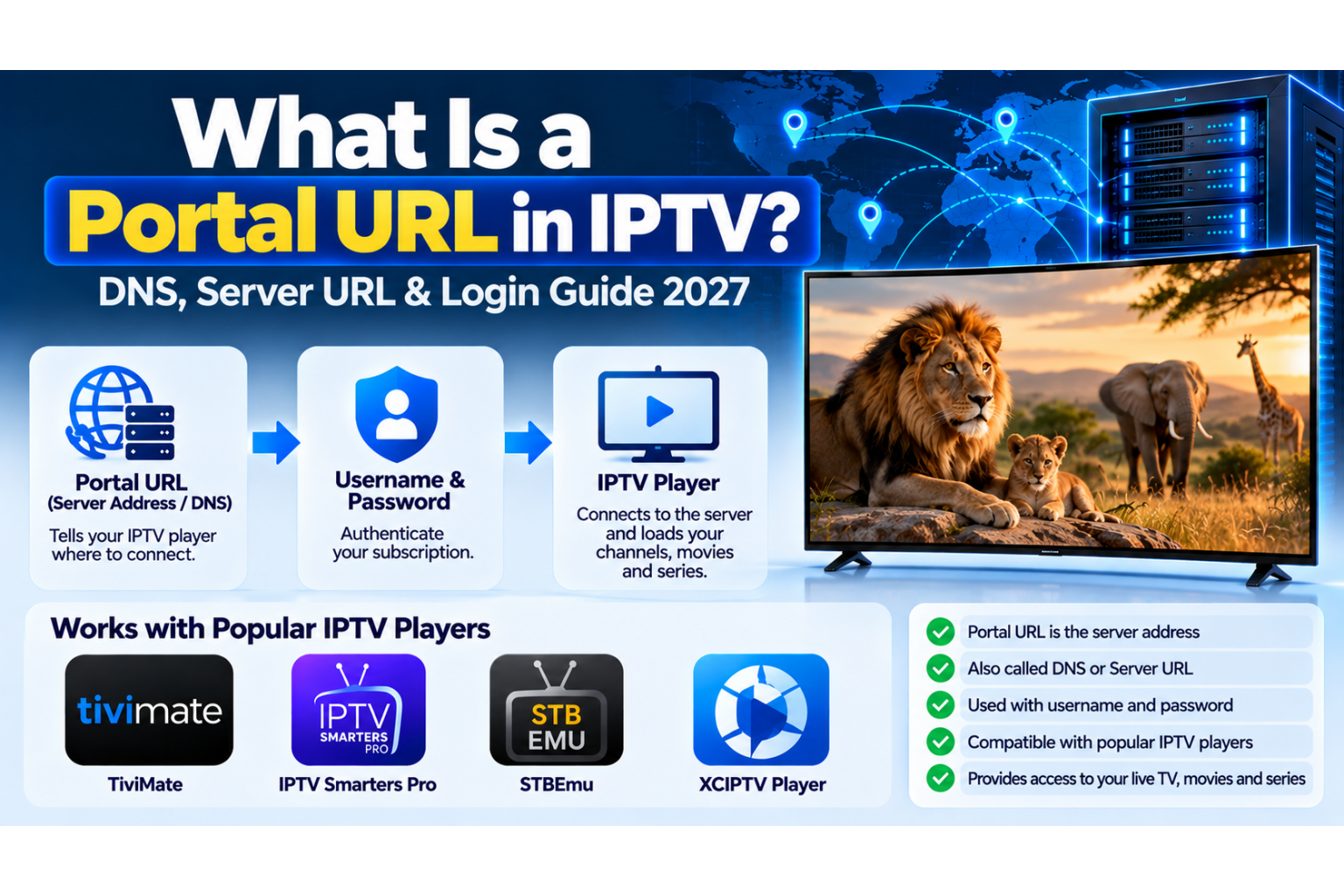
If you recently purchased an IPTV subscription, your provider may have sent you a Portal URL, DNS address, Server URL, username and password. But what exactly is an IPTV Portal URL, and where do you enter it?
A Portal URL is one of the most important pieces of information used to connect an IPTV application or compatible streaming device to an IPTV service. Without the correct server address, your IPTV player may not be able to load your subscription, even when your username and password are correct.
In this 2027 guide, we'll explain what an IPTV Portal URL means, why some providers call it a DNS, how it works with your login information, and how to use it with popular IPTV players such as TiviMate, XCIPTV, IPTV Smarters Pro and STBEmu.
What Is a Portal URL in IPTV?
An IPTV Portal URL is a web address used by a compatible IPTV application or device to communicate with an IPTV provider's server or portal system.
In simple terms, it tells your IPTV player where to connect to access your subscription.
Depending on the IPTV system, the address may be called:
- IPTV Portal URL
- IPTV Server URL
- IPTV DNS
- Server Address
- Host URL
- Portal Address
- Xtream Codes Server URL
These terms are often used interchangeably by IPTV customers and providers, although the technical meaning can differ depending on the connection system.
For example, an Xtream Codes-compatible service normally requires a server address, username and password. A Stalker Portal service commonly requires a portal address and an authorized MAC address instead.
Example of an IPTV Portal URL, Username and Password
When you receive your IPTV subscription information, it might look something like this:
Server URL / DNS: https://iptv.example.com:8080
Username: customer123
Password: ExamplePass456
Note: These are fictional demonstration details, not working IPTV credentials.
Each piece of information has a different purpose:
- Portal URL / Server URL: Identifies the server or service endpoint your player should contact.
- Username: Identifies your IPTV account.
- Password: Helps authenticate your subscription.
When you enter the correct information into a compatible player, the application can request your authorized channel list, video-on-demand library and other available subscription information.
The exact information returned depends on the IPTV service, account permissions and supported connection method.
Is an IPTV Portal URL the Same as DNS?
In everyday IPTV conversations, many providers refer to their Server URL as the IPTV DNS.
For example, a provider might say:
- "Enter your DNS in the IPTV app."
- "Use this Portal URL with your username and password."
- "We have updated the IPTV Server URL."
- "Try the new DNS address."
In many cases, they are referring to the same server address supplied for an Xtream Codes-compatible login.
Technically, however, DNS stands for Domain Name System. DNS translates domain names into network addresses so devices can locate internet services.
The Portal URL is the actual address entered into the IPTV player. It may contain a domain name, a protocol such as HTTP or HTTPS, a port number, or a path.
Important: An IPTV DNS or Portal URL is not the same as changing your device's general DNS settings to a public resolver. Customers should enter the provider-supplied address in the appropriate IPTV application field.
How Does an IPTV Portal URL Work?
The connection process is relatively straightforward.
- You receive your IPTV account information from your provider.
- You install a compatible IPTV player on your device.
- You select the correct connection method, such as Xtream Codes or Stalker Portal.
- You enter the server address and any required account information.
- The application contacts the IPTV server and attempts to authenticate your subscription.
- If the connection is accepted, the player loads the available content and supported features.
The Portal URL does not automatically provide television channels on its own. You also need an active, authorized subscription and a player compatible with the service.
How to Enter an IPTV Portal URL in Popular IPTV Players
Different IPTV applications use different menu names and login methods. The following examples explain the general process.
1. TiviMate IPTV Player
TiviMate is a popular IPTV player for Android TV, Google TV and compatible Fire TV devices.
For an Xtream Codes-compatible subscription:
- Open TiviMate.
- Select Add Playlist.
- Choose Xtream Codes Login.
- Enter your IPTV Server URL.
- Enter your username and password.
- Continue and allow the application to load your playlist.
Use the exact server address provided by your IPTV service. If your provider includes a port number, make sure it is entered correctly.
2. XCIPTV Player
XCIPTV is another IPTV application commonly used on compatible Android-based devices.
- Open XCIPTV.
- Select the Xtream Codes or supported login option.
- Enter the IPTV Server URL or DNS address.
- Enter your username and password.
- Submit the login details.
- Wait for the application to load your account information.
The exact layout may differ between XCIPTV versions and provider-customized applications.
3. IPTV Smarters Pro
IPTV Smarters Pro and compatible Smarters-style players commonly offer a login method using Xtream Codes API credentials.
- Open the IPTV player.
- Choose the Xtream Codes API login option.
- Enter a playlist name of your choice.
- Enter your IPTV username and password.
- Enter the Server URL supplied by your provider.
- Select Add User or Login.
If you are using a Smarters-compatible application, confirm that it is a trusted version and supports your provider's connection format.
4. STBEmu IPTV Player
STBEmu works differently from standard Xtream Codes players. It is designed to emulate compatible set-top-box portal environments.
For a Stalker-compatible subscription:
- Open STBEmu.
- Go to Settings and open Profiles.
- Create or select a profile.
- Enter the Stalker Portal URL supplied by your provider.
- Configure the authorized MAC address if required.
- Save the settings and restart or reload the portal.
Important: A Stalker Portal URL is not necessarily compatible with an Xtream Codes login. STBEmu generally uses portal-based authentication rather than the standard three-field username, password and server login.
IPTV Portal URL vs Xtream Codes vs M3U vs Stalker Portal
These terms are related, but they do not describe exactly the same connection method.
| Connection Type | Required Information | Typical Use |
|---|---|---|
| Xtream Codes | Server URL, username, password | TiviMate, XCIPTV, compatible IPTV players |
| M3U Playlist | Playlist URL or file | Compatible playlist applications |
| Stalker Portal | Portal URL, authorized MAC address and any additional required details | STBEmu, compatible MAG-style receivers |
For a more detailed explanation of playlists, read our What Is M3U IPTV? guide.
Why Is My IPTV Portal URL Not Working?
If your IPTV player displays a connection error, login failure, or cannot load your playlist, several issues may be responsible.
Incorrect Portal URL
A missing character, incorrect port number, extra space, or wrong protocol can prevent the application from connecting.
Copy the complete address supplied by your provider, including HTTP or HTTPS and any required port or path.
Incorrect Username or Password
IPTV login details may be case-sensitive. Check capitalization, numbers, special characters and accidental spaces.
Expired or Inactive Subscription
An expired account or subscription that has not yet been activated may fail to authenticate even if the server address is correct.
Wrong IPTV Connection Method
A Stalker Portal address cannot always be entered into an Xtream Codes login field. Make sure your application supports the connection method associated with your subscription.
Server Maintenance or Address Changes
Providers may update their server addresses or perform maintenance. If your previously working connection suddenly fails, check for an official service notice or updated login information.
Internet or Network Problems
DNS resolution problems, router issues, firewall restrictions, unstable internet connections or temporary server connectivity problems may prevent the application from reaching the service.
If the problem continues, contact your IPTV provider and provide the application name and exact error message. Never post your password publicly.
Can an IPTV Provider Change Your DNS or Portal URL?
Yes. An IPTV provider may change its server address because of infrastructure upgrades, maintenance, domain changes, or server migrations.
When this happens, customers may need to update the Server URL inside their IPTV application.
For example, an old address might be replaced with a new hostname or port number. Your username and password may remain unchanged, but this depends on the provider.
Always obtain replacement server addresses through official support channels rather than using unknown links found online.
Is an IPTV Portal URL Safe to Share?
A server address alone is not always a secret, but your complete IPTV login information should be treated as private.
Do not publicly share:
- Your IPTV username
- Your IPTV password
- Complete M3U links containing account credentials
- Private activation details or device identifiers
- Subscription screenshots displaying sensitive login information
Sharing these details can expose your subscription to unauthorized access or cause account problems.
Where Can You Get an IPTV Portal URL?
The correct Portal URL is normally supplied by the IPTV provider when your subscription is activated.
Depending on the service, you may receive it through an order confirmation, customer account, setup instructions, or a support message.
If you're exploring different connection technologies, SharkTV.ca provides information about Xtream Codes and M3U IPTV servers and compatible IPTV setups.
Before purchasing an IPTV subscription, confirm that the connection method is supported by your preferred device and application.
Frequently Asked Questions About IPTV Portal URLs
What is a Portal URL in IPTV?
An IPTV Portal URL is an address used by a compatible IPTV application or device to connect to an IPTV server or portal system.
Is an IPTV DNS the same as a Portal URL?
Providers often use the terms DNS, Portal URL and Server URL interchangeably. Technically, DNS is the system used to resolve domain names, while the URL identifies the service endpoint.
Do I need a username and password with a Portal URL?
For Xtream Codes-compatible IPTV, usually yes. You typically enter a Server URL, username and password. Stalker Portal services commonly use a Portal URL with MAC-based authentication instead.
Can I use the same IPTV Portal URL in TiviMate and XCIPTV?
Potentially, yes, if both applications support your subscription's connection method and the provider permits their use. Your account's simultaneous connection limit still applies.
Does STBEmu use a username and password?
STBEmu commonly uses a Stalker Portal URL and authorized MAC address. Additional authentication requirements depend on the service.
Can I open an IPTV Portal URL in a normal web browser?
Some addresses may display a page or server response, but many IPTV endpoints are intended for compatible applications rather than regular browser viewing. A blank page or error does not necessarily mean the IPTV service is offline.
Can I change my IPTV DNS myself?
You can edit the Server URL saved in your IPTV application, but the replacement address must be valid for your provider and subscription. Changing it to an unrelated server will not transfer your account.
Does a Portal URL include IPTV channels?
The address itself does not include channels. It identifies a server or portal endpoint that may provide access to the content authorized under your active subscription.
Final Thoughts: Understanding IPTV Portal URLs in 2027
Understanding what an IPTV Portal URL means makes it easier to set up an IPTV player, troubleshoot connection errors, and communicate with your provider when assistance is needed.
Remember the basic distinction: Xtream Codes commonly uses a Server URL, username and password; M3U uses a playlist link; and Stalker Portal systems commonly use a Portal URL with MAC-based authentication.
Whether you use TiviMate, XCIPTV, IPTV Smarters Pro, STBEmu or another compatible application, always select the correct login method and enter the exact information supplied by your service provider.
To explore compatible IPTV connection options, visit SharkTV.ca and review the available IPTV guides and subscription information.