Internet Protocol Television (IPTV) continues to change how viewers access television and video content. Instead of relying exclusively on traditional cable or satellite connections, IPTV delivers programming through internet-based networks.
For Canadians exploring streaming options in 2027, questions about IPTV legality, device compatibility, subscription pricing, account sharing and streaming performance are especially important.
This guide answers ten common IPTV questions and explains what to consider before choosing a subscription. Readers researching an IPTV Service Canada option can also explore SharkTV.ca for information about available streaming products and services.
1. Are IPTV Services Legal in Canada?
Yes, IPTV is a legal technology in Canada. Internet-based television is used by many legitimate television and streaming services.
However, the legality of a particular service depends on whether it has the necessary rights to distribute the television channels, movies, sports and other programming it provides.
A subscription being available for purchase does not automatically mean its content is licensed. Before subscribing, review the provider's business information, service terms and content authorization.
2. Can I Share My IPTV Username and Password?
Whether you can share an IPTV account depends on the subscription terms and the number of simultaneous connections included.
A single-connection subscription generally permits one active stream at a time. Installing an IPTV application on multiple devices does not necessarily mean those devices can stream simultaneously.
If two or more household members want to watch different programs at the same time, check whether your subscription supports additional connections.
Avoid sharing account credentials with people outside your household unless your provider explicitly permits it. Unauthorized sharing may violate subscription terms and create account security risks.
3. Does IPTV Work on Amazon Firestick?
Many IPTV services can work on compatible Amazon Fire TV and Firestick devices through supported applications.
Examples of IPTV players include:
- TiviMate IPTV Player
- IPTV Smarters
- XCIPTV Player
- STB Emulator
- Other compatible IPTV applications
Application availability and features depend on the device model, operating system and region.
Before purchasing a subscription, confirm whether it uses Xtream Codes, M3U playlists or a portal-based connection and whether your chosen player supports that format.
4. Can IPTV Be Blocked by an Internet Provider?
IPTV access can sometimes be affected by network restrictions, service outages, technical problems or legal enforcement measures.
However, buffering or connection failure does not automatically mean your internet provider is blocking IPTV traffic.
Other possible causes include:
- Weak Wi-Fi signal
- Temporary internet outages
- Network congestion
- Application or device problems
- Unavailable source streams
- Incorrect subscription configuration
Start troubleshooting by testing your internet connection, restarting the application and checking whether other streaming services are working normally.
5. How Does IPTV Work?
IPTV delivers television and video using internet protocol networks. Instead of receiving programming through a conventional satellite dish or cable television connection, a compatible application or device receives content over a network.
Depending on the service, viewers may access content through:
- Amazon Fire TV devices
- Android TV and Google TV
- Dedicated IPTV receivers
- Compatible Smart TVs
- Computers and mobile devices
Some services use dedicated applications, while others support Xtream Codes credentials, M3U playlists or Stalker Portal connections.
The required setup depends on the subscription and the device being used.
6. How Much Does IPTV Cost in Canada?
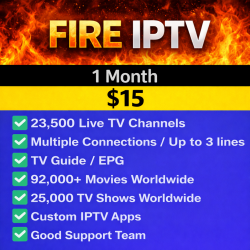
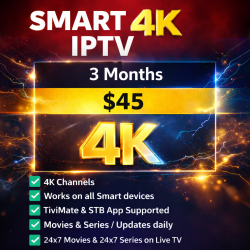
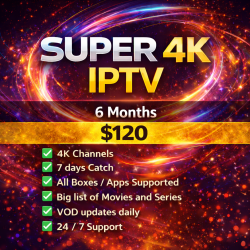
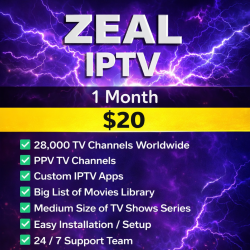
IPTV pricing in Canada varies significantly depending on the provider, subscription duration, programming, connection limits and included features.
Some services offer monthly subscriptions, while others provide three-month, six-month or annual plans.
When comparing prices, consider the following:
- The total cost of the subscription
- The number of simultaneous connections
- Compatible devices and applications
- Available programming
- Activation and renewal procedures
- Customer support and refund terms
A longer subscription may have a lower average monthly cost, but customers should review the terms carefully before making an extended commitment.
Current pricing should always be checked directly because subscription offers can change.
7. When Was IPTV Invented?
IPTV technology developed alongside improvements in internet networking and digital video delivery during the 1990s.
As broadband internet became more widely available in the 2000s, internet-based television services became increasingly practical for households and businesses.
Today, IPTV technology is used in different forms by telecommunications companies, managed television platforms and internet-based streaming services.
8. Which IPTV Service Is Best in Canada?
There is no single IPTV service that is best for every Canadian household.
The right choice depends on your preferred programming, streaming devices, budget, required simultaneous connections and customer support expectations.
Before selecting a provider, evaluate:
- Whether the service has appropriate content rights
- Compatibility with your television or streaming box
- Clear subscription and renewal terms
- Available customer support
- Connection limits
- Programming availability
- Transparent pricing
Avoid relying exclusively on claims such as unlimited channels, guaranteed uptime or completely buffer-free streaming.
9. What Are the Best IPTV Apps?
The best IPTV application depends on your streaming device and the connection format supported by your subscription.
Commonly used IPTV players include:
- TiviMate: An IPTV player commonly used on Android TV devices.
- IPTV Smarters: A player available in different versions for supported platforms.
- XCIPTV: An IPTV player used with compatible account formats.
- iMPlayer: An IPTV player with television-oriented navigation features.
- Kodi: A media centre that can support IPTV playback through appropriate add-ons.
An IPTV player is not necessarily a television subscription. Many applications require users to supply their own authorized content source or subscription credentials.
Choose applications from trusted sources and confirm device compatibility before installation.
10. Why Does IPTV Keep Freezing or Buffering?
IPTV buffering occurs when video data cannot be delivered or processed quickly enough for uninterrupted playback.
Common causes include:
- Unstable internet connectivity
- Weak Wi-Fi coverage
- Network congestion
- Device memory or performance limitations
- Outdated applications
- Problems with the source stream
To troubleshoot, restart your streaming device, check your internet connection, update the IPTV application and use Ethernet where practical.
If only one channel is affected while other streams work normally, the problem may be related to that particular source rather than your home internet connection.
Additional IPTV Questions for Canadian Viewers
Do I need an IPTV box?
Not always. Some Smart TVs, streaming sticks, Android TV devices and computers support compatible IPTV applications without a dedicated IPTV receiver.
Can I use IPTV on two televisions?
That depends on the number of simultaneous connections permitted by your subscription. Check the plan details before purchasing.
Does IPTV require fast internet?
Internet requirements depend on stream resolution and the number of devices watching simultaneously. Stable connectivity is important for consistent playback.
Are IPTV and streaming apps the same thing?
Not exactly. IPTV refers to a method of delivering television over internet protocol networks. An IPTV player is software used to access compatible content, while a subscription determines which programming is available.
Final Thoughts: Understanding 2027 IPTV in Canada
IPTV provides another way to access television and video through internet-connected devices, but subscription services differ in compatibility, programming, connection limits and service terms.
For Canadian viewers, the most important steps are checking content authorization, confirming device compatibility, understanding subscription restrictions and comparing pricing before purchasing.
Taking the time to understand these details can help you select a service that matches your viewing needs and avoid common setup or streaming problems.
Related Products