Stalker IPTV vs Xtream Codes – Which IPTV System is Better?
If you're looking for an IPTV subscription, you've probably searched questions like:
- What is the difference between Stalker IPTV vs Xtream Codes?
- Is Stalker IPTV better than Xtream Codes?
- How to install Stalker IPTV on Firestick?
- Can I use Stalker IPTV on Smart TV?
- Are Stalker IPTV servers faster?
- Can Stalker IPTV be used on multiple devices?
- Can Stalker IPTV work on IPTV Smarters or TiviMate?
In this guide, we’ll answer all these questions and help you choose the best IPTV system for your setup.
What is the Difference Between Stalker IPTV vs Xtream Codes?
The main difference between Stalker IPTV and Xtream Codes is how you connect to your IPTV service.
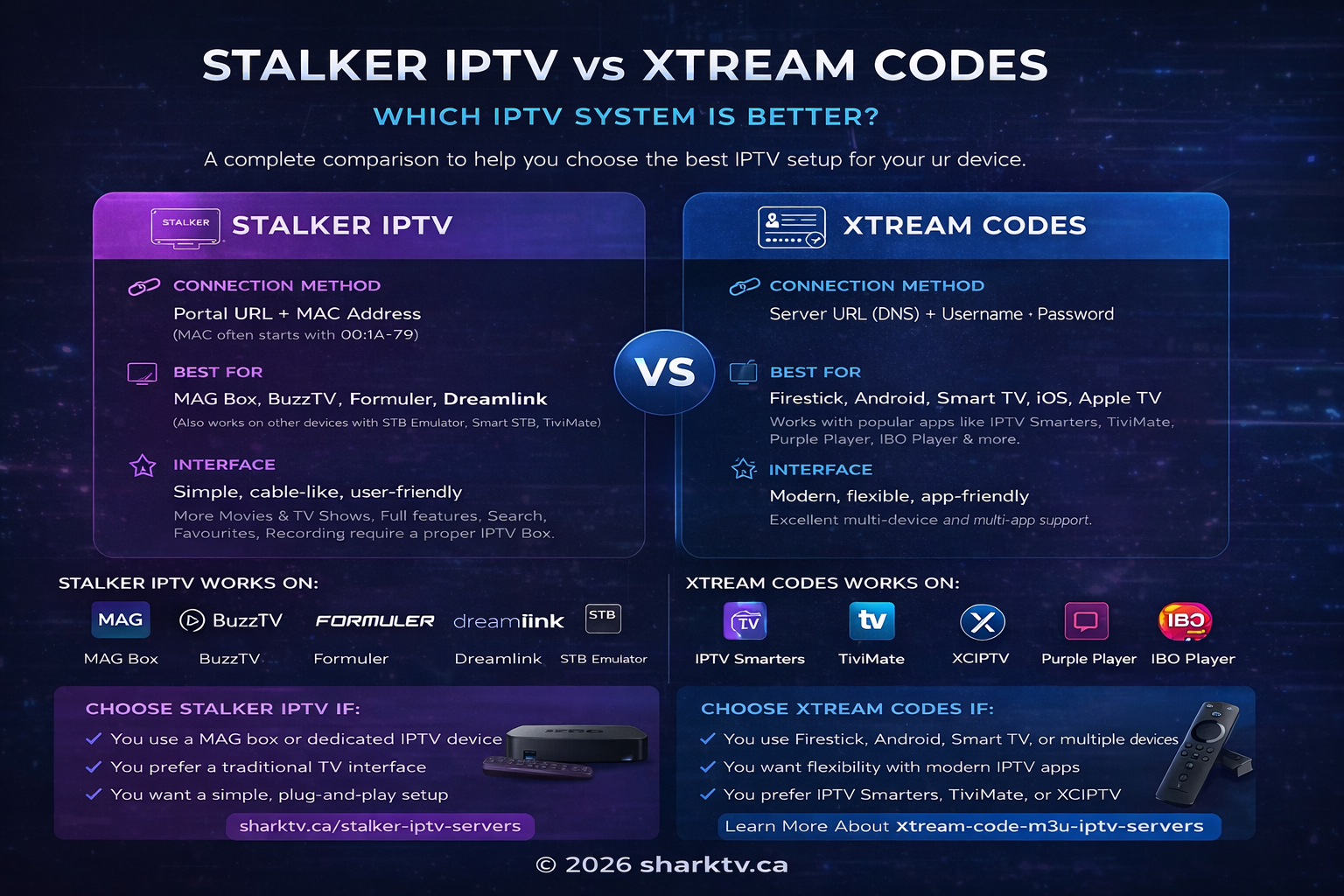
- Stalker IPTV uses a Portal URL linked to a MAC address (often starting with 00:1A:79).
- Xtream Codes IPTV uses a username, password, and server URL (DNS).
Both systems provide access to IPTV channels, movies, and series, but they are designed for different devices and user preferences. Also Stalker IPTV servers provide more Movies and TV Shows, however to get full experience and enjoyment of the Stalker IPTV subscription you must purchase a proper IPTV Box that will allow you to do things like Search, Ad to favourites, Record etc.
What is Stalker IPTV?
Stalker IPTV is commonly used on IPTV devices such as MAG Box, BuzzTV, Formuler, and Dreamlink. It provides a simple cable-like interface that is easy to navigate.
It can also be used on other devices using apps like STB Emulator, Smart STB, and TiviMate.
Can Stalker IPTV Be Used on Firestick or Smart TV?
Yes, Stalker IPTV can be used on Firestick, Smart TVs, Android devices, Apple TV, and more using apps like STB Emulator or Smart STB.
What is Xtream Codes IPTV?
Xtream Codes IPTV is a flexible system that works with many popular IPTV apps such as IPTV Smarters, TiviMate, XCIPTV, Purple Player, and IBO Player.
It uses login credentials:
- Username
- Password
- Server URL (DNS)
This makes Xtream Codes easier to use across multiple devices and apps.
Is Stalker IPTV Faster Than Xtream Codes?
No, IPTV speed and performance do not depend on whether you use Stalker or Xtream Codes.
Streaming quality depends on:
- Server quality
- Internet speed
- Your device performance
Both systems can deliver HD and 4K streaming when using a reliable IPTV service.
How to Install Stalker IPTV on Firestick
To install Stalker IPTV on Firestick, you can use STB Emulator:
- Install STB Emulator
- Provide your Mac address to SharkTV
- Enter your Portal URL that was provided to your by SharkTV IPTV service.
- Restart the app
Your IPTV channels will load automatically after setup.
Which IPTV Subscription Should You Choose?
Looking for a reliable IPTV service? At SharkTV, you can access high-quality IPTV subscriptions with support for both Stalker Portal and Xtream Codes. Whether you're using Firestick, Smart TV, or an IPTV box, our service is optimized for smooth streaming, fast setup, and access to thousands of live channels and on-demand content.
If you're looking for the best IPTV subscription in Canada, both Stalker and Xtream Codes are supported depending on your device.
Choose Stalker IPTV if:
- You use a MAG box or IPTV device
- You prefer a traditional TV interface
- You want simple setup
Choose Xtream Codes IPTV if:
- You use Firestick, Android, or Smart TV
- You want flexibility and modern apps
- You prefer apps like IPTV Smarters or TiviMate
Final Thoughts
Both Stalker IPTV and Xtream Codes IPTV are reliable and widely used systems. The best choice depends on your device and how you prefer to watch IPTV.
Related Products