TiviMate has become one of the most popular IPTV players for Android TV, Google TV, Amazon Firestick, and Android TV boxes. Its modern television-style interface, fast channel switching, Electronic Program Guide (EPG), and playlist management make it a favourite among IPTV users around the world.
It's important to understand that TiviMate is an IPTV player, not an IPTV provider. To watch live TV, sports, movies, and TV series, you'll also need an IPTV subscription that supports Xtream Codes or M3U playlists.
If you're still deciding which IPTV player to use, you may also find our guide to the best IPTV apps for Android TV & Android Boxes helpful before choosing an application.
What Is TiviMate?
TiviMate is an IPTV player designed primarily for Android TV devices. It allows users to organize live television channels, Video-on-Demand libraries, playlists, and Electronic Program Guides using IPTV subscription credentials.
Depending on your IPTV provider, TiviMate supports:
- Xtream Codes login
- M3U playlists
- Electronic Program Guide (EPG)
- Multiple playlists
- Favorites
- Channel grouping
- Catch-Up TV where supported
Why TiviMate Is So Popular
Many IPTV users choose TiviMate because it provides a television-style experience instead of a simple playlist viewer.
- Fast channel switching
- Modern interface
- Excellent EPG support
- Playlist organization
- Favorite channels
- Support for multiple IPTV subscriptions
- Smooth performance on Android devices
Devices That Support TiviMate
TiviMate is commonly used on:
- Amazon Firestick
- Fire TV Cube
- Android TV Boxes
- Google TV
- NVIDIA Shield
- Chromecast with Google TV
- Android televisions
If you're using Firestick, you may also enjoy our complete guide to the best IPTV for Amazon Firestick.
How to Set Up TiviMate
Once TiviMate has been installed, setup usually requires only a few steps.
- Open TiviMate.
- Select Add Playlist.
- Choose Xtream Codes or M3U Playlist.
- Enter the IPTV login information supplied by your provider.
- Allow channels and EPG information to load.
- Start streaming.
The exact setup depends on your IPTV subscription.
Xtream Codes vs M3U in TiviMate
Most IPTV subscriptions work with either Xtream Codes or an M3U playlist.
- Xtream Codes usually include a username, password, and server URL.
- M3U normally uses a playlist URL.
Both methods work well with TiviMate when supported by your IPTV provider.
Features Available in TiviMate
- Electronic Program Guide
- Channel favorites
- Playlist management
- Multiple IPTV accounts
- Catch-Up support where available
- Channel search
- Picture quality controls
- Recording features in supported versions
Choosing an IPTV Subscription for TiviMate
Before purchasing an IPTV subscription, compare:
- Xtream Codes compatibility
- M3U support
- Channel selection
- Sports and entertainment
- Video-on-Demand library
- Connection options
- Subscription length
- Supported devices
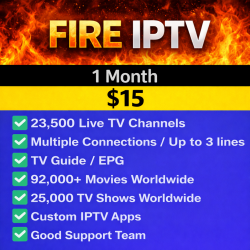
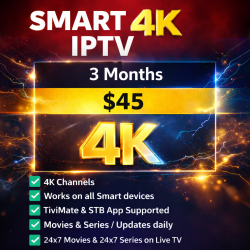
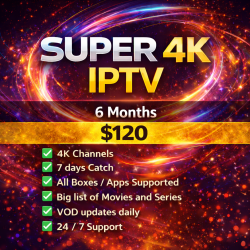
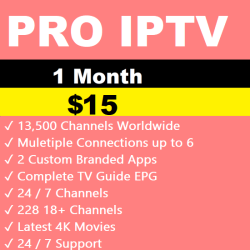
Browse the available IPTV subscriptions to compare compatible IPTV services.
Frequently Asked Questions
Is TiviMate an IPTV provider?
No. TiviMate is an IPTV player. You still need an IPTV subscription before channels can be viewed.
Does TiviMate work on Firestick?
Yes. TiviMate is widely used on Amazon Firestick and Fire TV devices.
Does TiviMate support Xtream Codes?
Yes. TiviMate supports Xtream Codes login as well as M3U playlists.
Can I use more than one IPTV subscription?
Yes. TiviMate supports multiple playlists and IPTV accounts.
Final Thoughts
TiviMate remains one of the most powerful IPTV players available for Android TV devices. Combined with a compatible IPTV subscription, it provides an excellent viewing experience for live television, sports, movies, and on-demand entertainment.
If you're still comparing IPTV players, don't forget to read our guide to the best IPTV apps for Android TV & Android Boxes before choosing the application that's right for you.
Related Products