This beginner tutorial explains how to install IPTV on BuzzTV boxes using the built-in BuzzTV IPTV player. BuzzTV devices run on Android OS and are designed specifically for IPTV streaming, making them one of the most popular IPTV streaming devices.
If you are visiting SharkTV.ca through Google and need IPTV service for your BuzzTV box, you can explore available IPTV subscriptions directly from the SharkTV.ca IPTV homepage.
Compatible BuzzTV Models
This IPTV setup guide works with the following BuzzTV streaming devices:
- BuzzTV X5 AX Special Edition
- BuzzTV E5
- BuzzTV B5
- BuzzTV HD5 16GB
- BuzzTV X5
- Buzz Essentials E2 SE HD
- Buzz Essentials E2 MAX HD
- BuzzTV VidStick HD
About BuzzTV IPTV Boxes
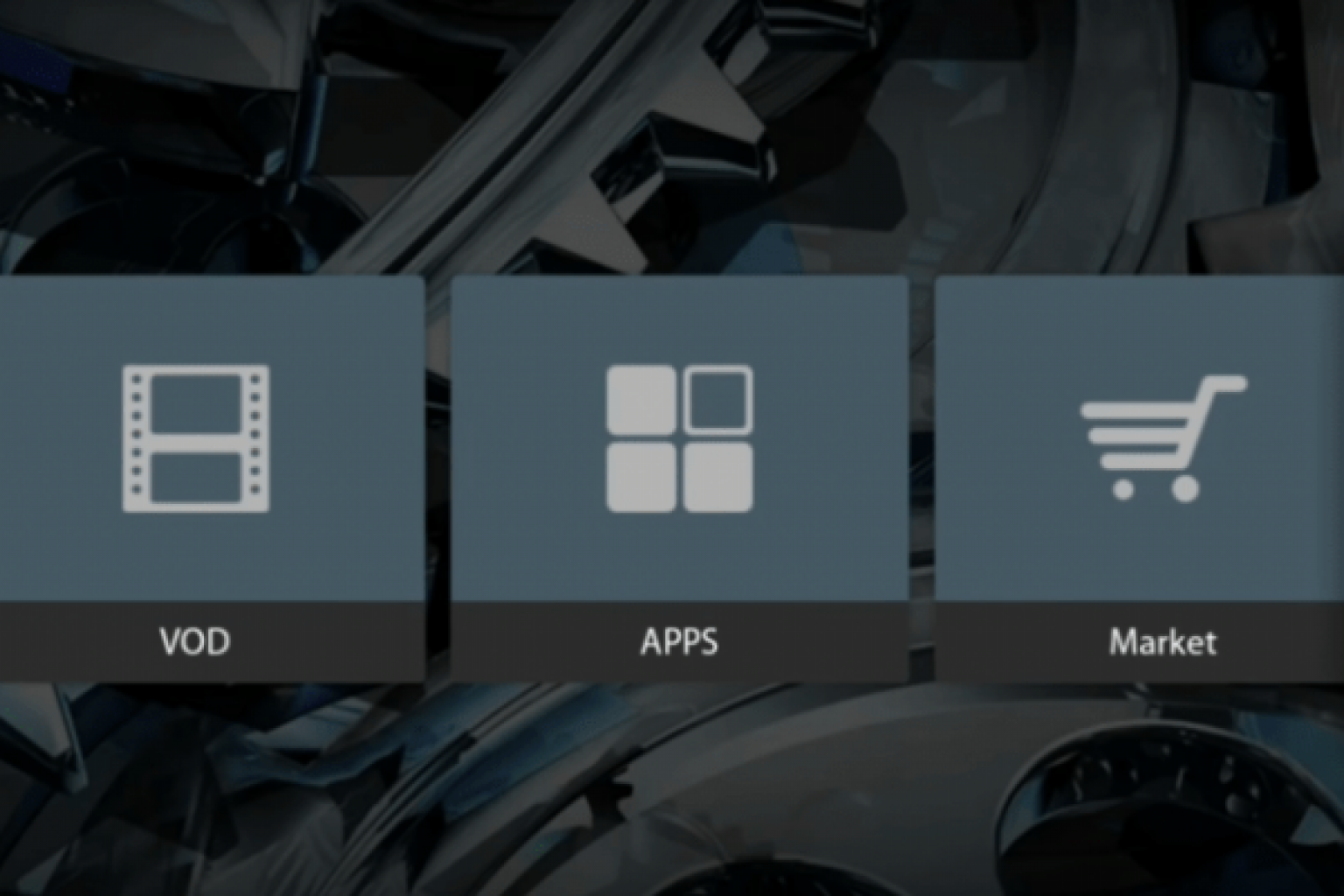
BuzzTV boxes run on the Android operating system, which means they support the Google Play Store and Android applications. However, BuzzTV devices also include their own built-in IPTV player designed specifically for MAC-based IPTV servers.
Because of this built-in IPTV portal system, you usually do not need third-party IPTV apps such as STB Emulator, IPTV Smarters, XCIPTV, or other IPTV players.
How to Setup IPTV on BuzzTV Box
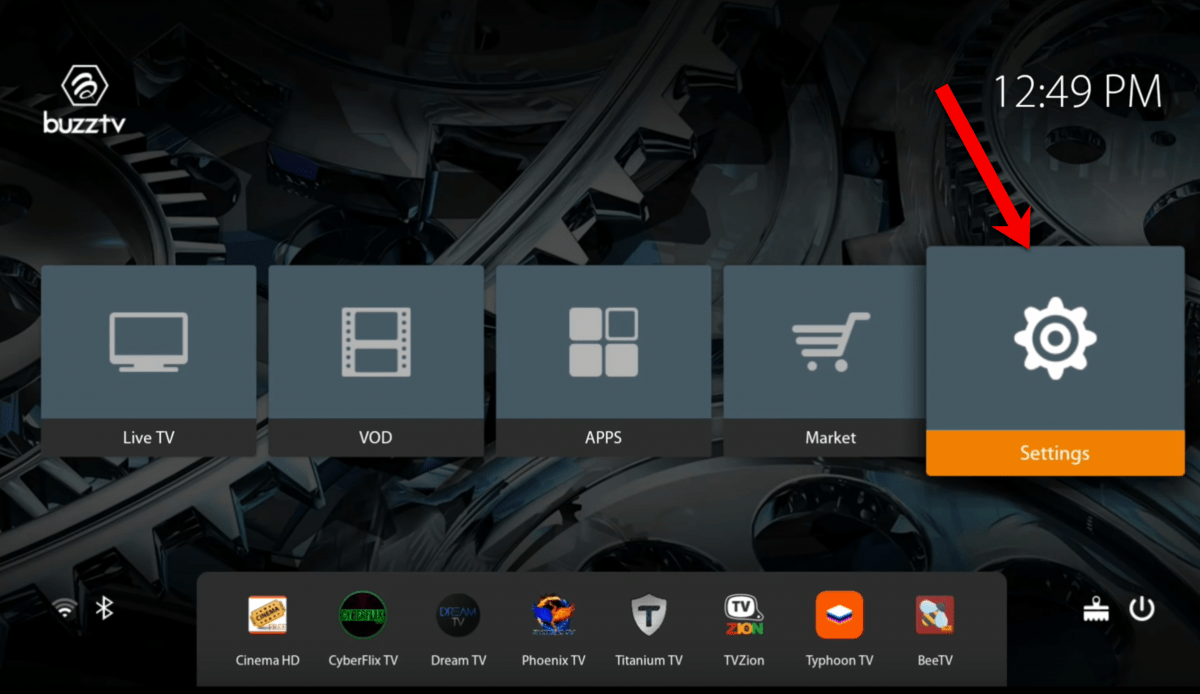
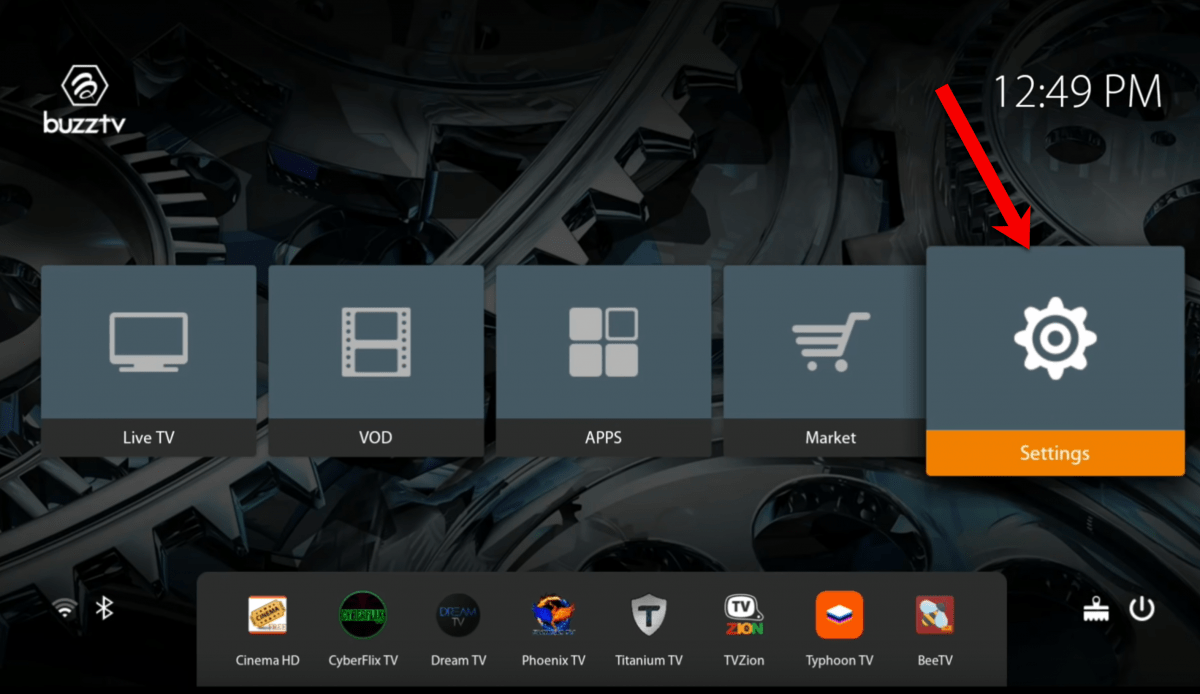
Step 1 – Open Settings
From the main BuzzTV home screen, navigate to Settings.
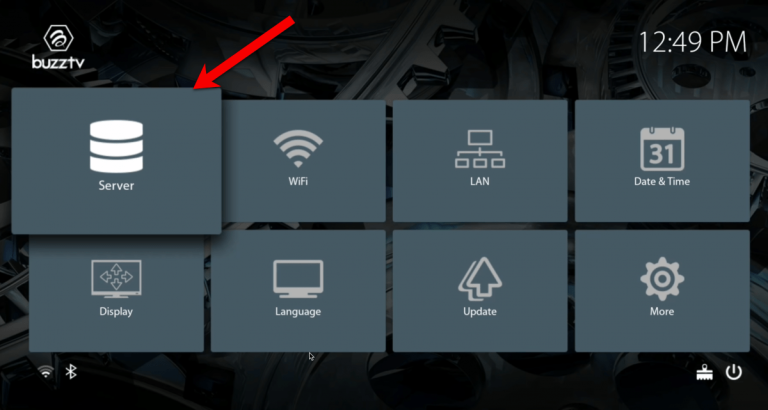
Step 2 – Select Server
Inside settings, locate and select the Server option.
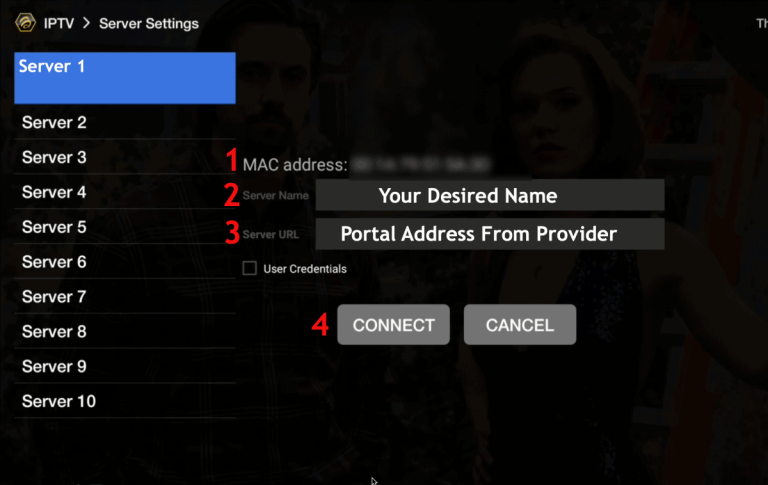
Step 3 – Enter IPTV Portal Information
You will see the MAC address of your BuzzTV device on the screen. Send this MAC address to your IPTV provider so they can activate your IPTV service.
Once your IPTV service is activated, enter the Portal URL provided by your IPTV provider.
Conclusion
You have now successfully learned how to install IPTV on a BuzzTV box. BuzzTV streaming devices are designed specifically for IPTV and provide a reliable and smooth streaming experience for live TV channels, sports, movies, and international content.
If you are looking for IPTV service for BuzzTV boxes, MAG boxes, Firestick, Android boxes, Smart TVs, Chromecast, or other streaming devices, you can explore IPTV subscriptions from SharkTV.ca IPTV services.
Frequently Asked Questions
Do BuzzTV boxes support IPTV?
Yes. BuzzTV boxes are specifically designed for IPTV streaming and include a built-in IPTV player that connects to MAC-based IPTV servers.
Do I need IPTV apps for BuzzTV?
No. BuzzTV boxes usually include a built-in IPTV portal system, so you only need the portal URL provided by your IPTV service provider.
Where can I find my BuzzTV MAC address?
The MAC address is displayed inside the BuzzTV server settings screen and is used by IPTV providers to activate your IPTV service.
Related IPTV Setup Guides
Related Products